Link-in-bio + short links One bio link you can edit in seconds
One bio link you can edit in seconds — plus a focused link-in-bio: your URLs in one place, with a dashboard that stays simple when you only need to fix a link — not a maze of templates and analytics.
When you want to go further
The same dashboard adds UTMs, /s/ short links, optional email capture, iframe embeds, and YouTube or Spotify on the page — turn pieces on only when you need them.
- Subscriber form with CSV export or HTTPS webhook (e.g. Zapier).
- Per-link tracking URLs, default UTMs, and short links for promos and QR codes.
- Themes, backgrounds, site embed, and media next to your links.
Free to start · Server-rendered pages · You own your links and exports
Share one link everywhere
A single bio page can list every destination, capture leads, and stay on brand. The image below is a stock photo—we credit the photographer on pages that use one.

How it works
-
Claim your handle
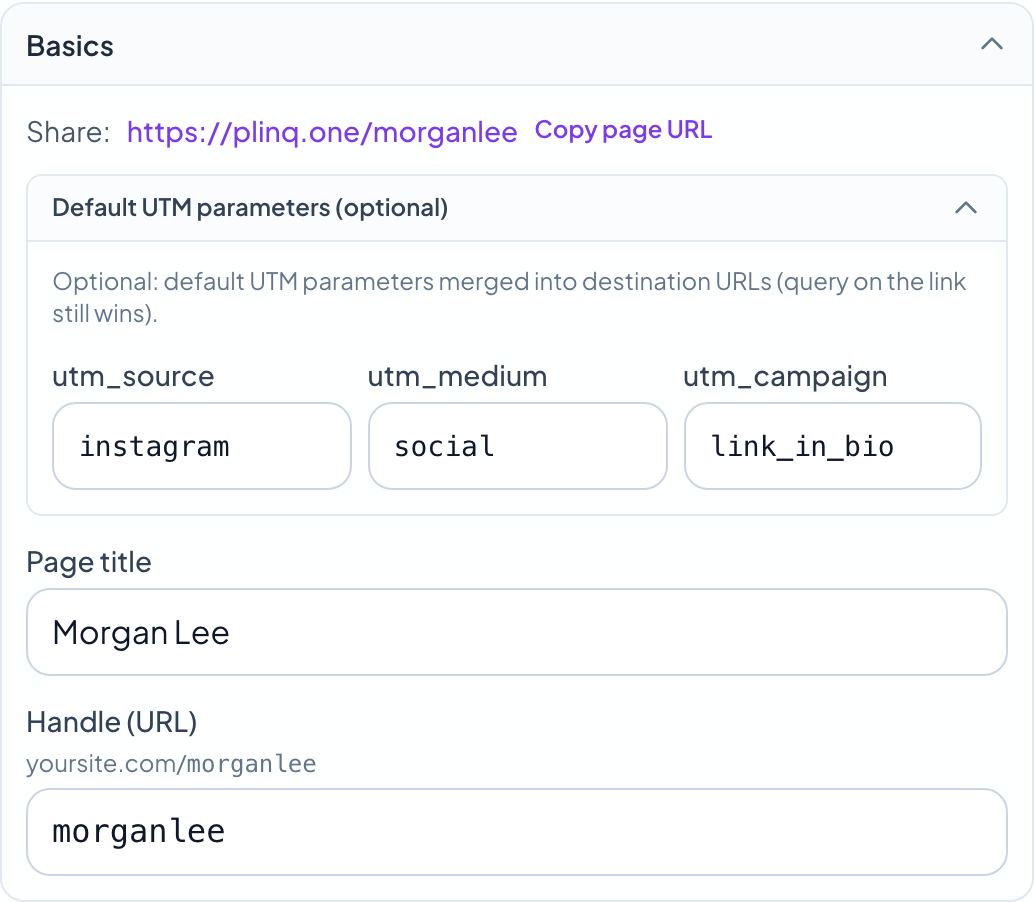
Pick a short path (your name or brand). Your public page lives at yoursite.com/your-handle—stable, easy to say, and easy to share.
-
Add links, look, and media
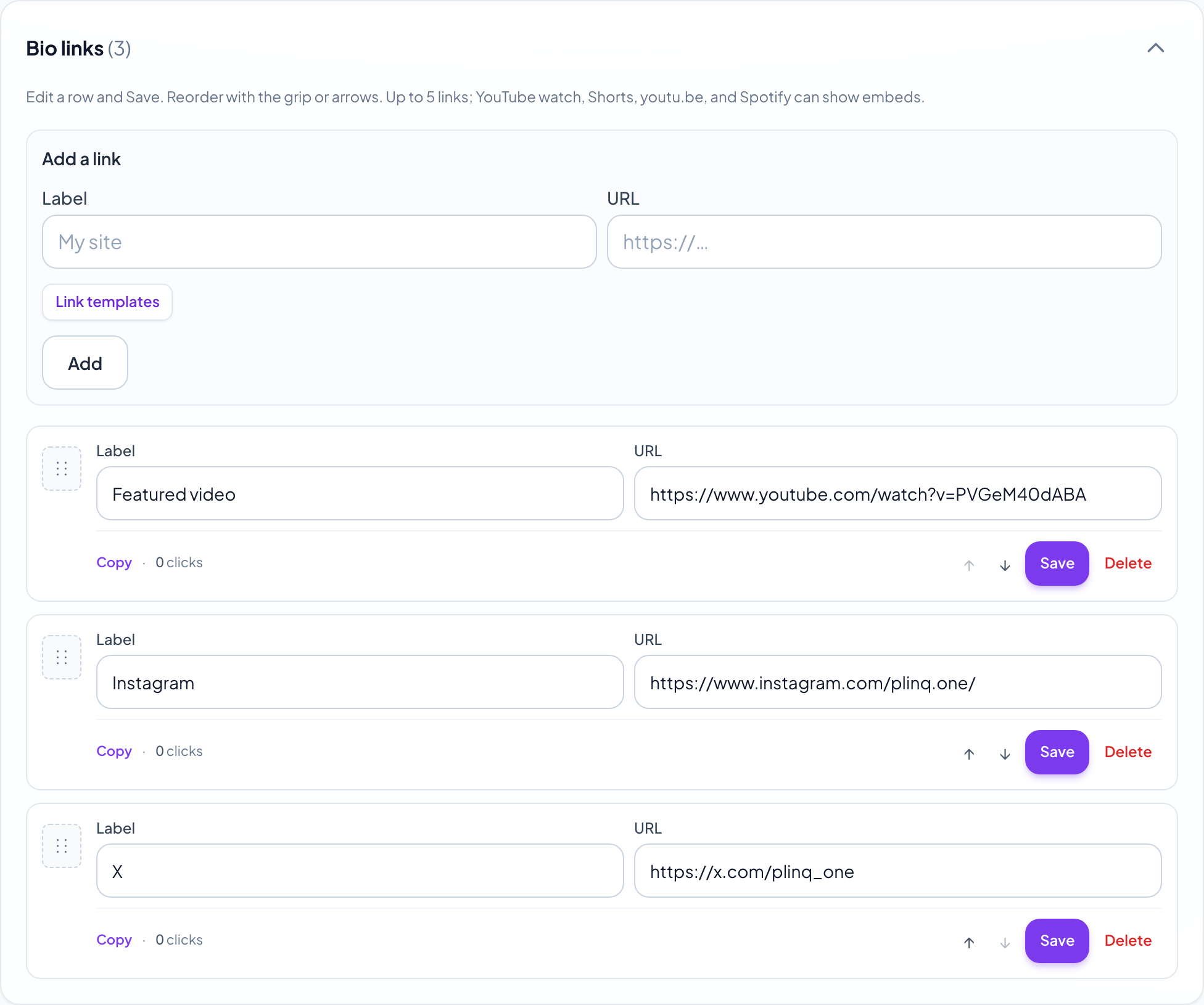
Add socials, shop, and booking; paste YouTube or Spotify links to show players on the page. Choose a theme, optional background, and optional newsletter form when you want to collect email.
-
Share and measure
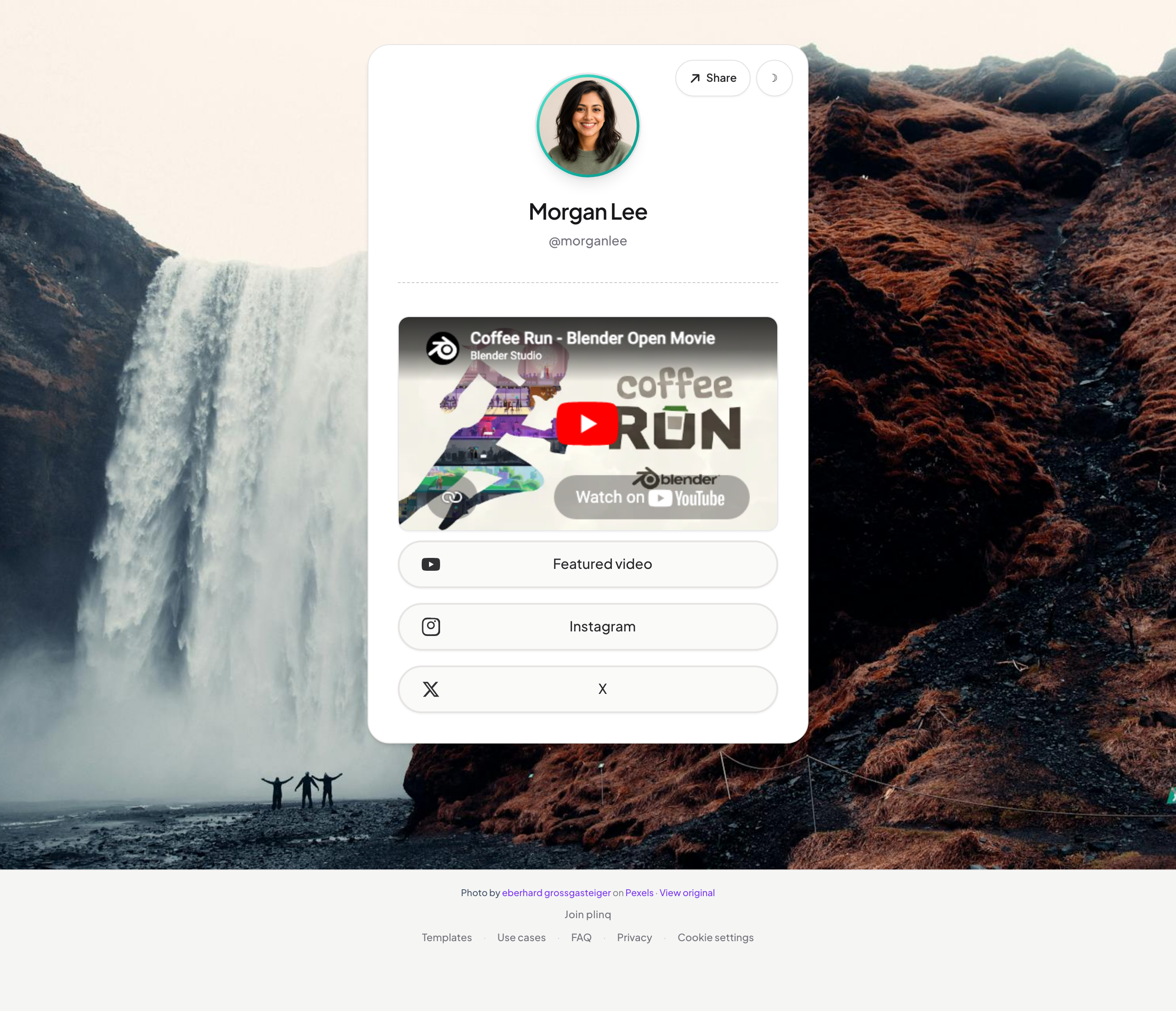
Paste one bio link everywhere, copy the iframe embed for your site, or create /s/ short links. Set default UTMs, copy full tracking URLs per link, and update destinations in the dashboard without breaking what you already posted.
What you get
-
Fast, focused pages
Server-rendered HTML loads quickly on phones. Your title, photo, and links stay front and center—no heavy app shell.
-
Short /s/ links you control
Create compact plinq URLs that 301 to any https target. Change the destination later; the short path your audience saved stays the same, with click counts in the dashboard.
-
UTM-ready tracking
Set default UTM source, medium, and campaign in the editor. Inbound ?utm_… on a go/ link still wins. Copy each link’s full “tracking” URL for ads and partners.
-
Embeddable profile
Copy a one-line iframe from the dashboard to show your plinq page inside your blog, event site, or partner page—no redirect required for visitors to see your layout.
-
Leads and exports
Optional email form on your public page; download subscribers as CSV from the dashboard or POST JSON to an https webhook (e.g. Make, Zapier) when someone signs up.
-
YouTube and Spotify on the page
Paste a watch or open.spotify.com link and visitors get a player inline—next to the rest of your link list, with one consistent design.
Common questions
- Do I need a credit card to try plinq?
- No. Create an account, pick a handle, and publish your page. Upgrade only if you add paid features later.
- Will my short links break if I change the destination?
- No. /s/ slugs stay the same; you update the target URL in the dashboard. Click counts keep accumulating on that slug.
- Can I measure campaigns with UTMs?
- Yes. Set default UTM source, medium, and campaign in the editor, and copy per-link tracking URLs. Inbound ?utm_ parameters on go/ links still override defaults when you want them to.
- Is my public page fast on phones?
- Pages are server-rendered HTML with minimal JavaScript on the bio itself, so first paint stays quick. Keep images reasonably sized for best LCP.
Ready when you are
Create an account, set your handle, and paste one link into every profile. Turn on the pieces you need—UTMs, embed, newsletter, webhooks—when you’re ready to grow past a static list.
Already have an account? Sign in